Migrating from Backupify to Datto SaaS Protection
To provide additional features and a unified customer experience, your Backupify account will be migrated to Datto SaaS Protection. Migration of all Backupify customers is underway and is scheduled to be completed over the next few weeks. During the migration, you will work with your Kaseya account manager or Kaseya 365 project manager to ensure a smooth transition.
-
Standalone Backupify customers: You will work with your Kaseya account manager during the migration process.
-
Kaseya 365 customers: Your subscription's Professional Services project manager will work with your organization's designated implementation contact during the migration process.
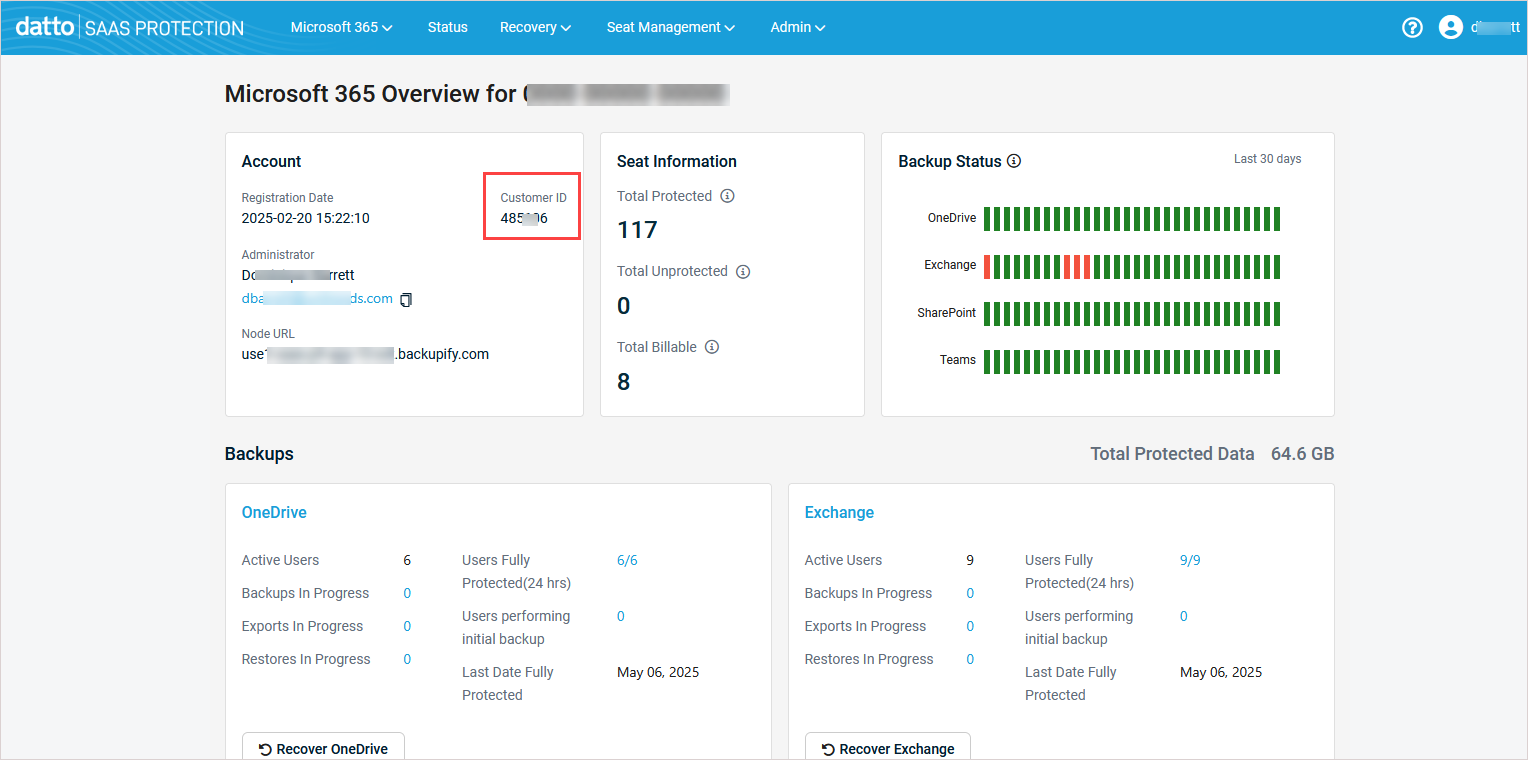
NOTE You may need to provide your Backupify Customer ID to your Kaseya account manager or Kaseya 365 project manager during the migration. This Customer ID displays in the Backupify UI on the Overview page. For details, see Finding your Backupify customer ID below.
New to Datto Partner Portal?
If you have not already been using Datto Partner Portal, your new module must be activated. The module will be activated using one of these methods:
-
Standalone Backupify customers: You or your Datto Partner Portal designated provisioning administrator will receive a Welcome to Datto Partner Portal email. Activate your Datto Partner Portal account from the welcome email by clicking Finish configuring your account. For detailed activation steps, see Standalone: Getting started with Datto SaaS Protection.

-
Kaseya 365 customers: Your Datto Partner Portal account can be activated from your subscription's Kaseya 365 Setup Guide page by clicking Activate under Step 1. This activation must be performed by the module's designated provisioning administrator. Check Step 1 on your subscription's Kaseya 365 Setup Guide page to see whether you or another administrator must activate the module. For detailed activation steps, see Kaseya 365 User: Getting started with Datto SaaS Protection.
Finding your Backupify customer ID
During the migration, your SaaS Protection provisioning administrator may need to provide your Backupify customer ID to the subscription's project manager.
To find your customer ID:
-
Log in to Backupify as an administrator. The Overview page displays.
-
On the Overview page, your Backupify customer ID displays in the Account tile as shown here: