Error: "datto.http.office365.sharepoint.ApiErrors$ForbiddenError: 403 FORBIDDEN"
Backups for Microsoft SharePoint or Microsoft Teams fail. The error message, "datto.http.office365.sharepoint.ApiErrors$ForbiddenError: 403 FORBIDDEN" displays in the Failure Reason column of the SaaS Status page.
Environment
- Datto SaaS Protection 2.0 or 3.0 for Microsoft 365
Cause
This error can occur following the rename of a SharePoint site. When a SharePoint site is renamed, SaaS Protection begins a new dataset for the site under the new site name. Microsoft sets the old dataset to a read-only status. The error happens if SaaS Protection is continuing to attempt backups for the old site name and dataset.
Resolution
To resolve the conflict, pause backups for the old SharePoint site:
-
Log in to SaaS Protection as an administrator. The SaaS Protection Status > Organization tab displays.
-
In the overview table, locate the organization and click its Organization Name link. The organization's Microsoft 365 Overview page displays.
-
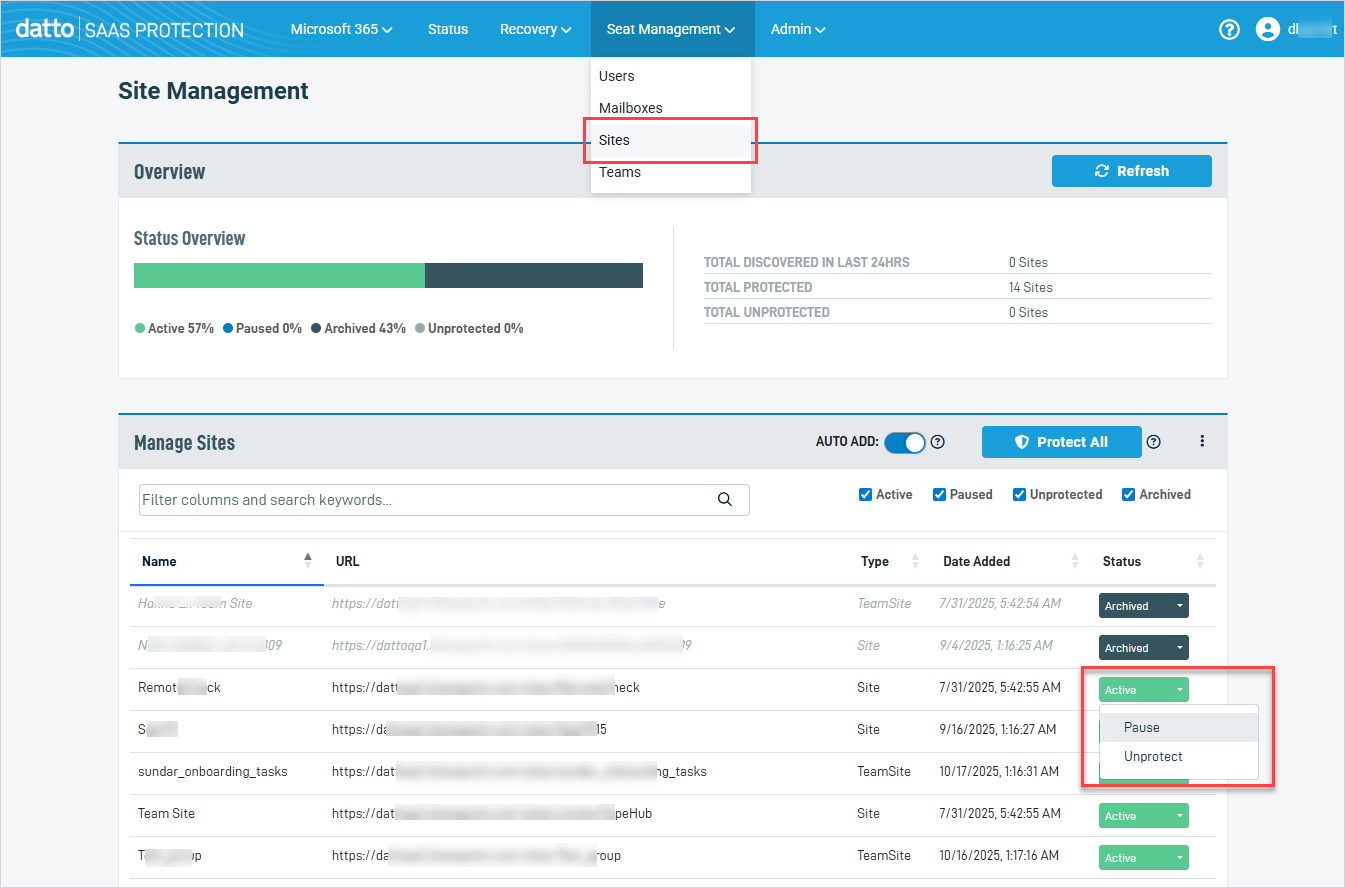
From Seat Management in the top navigation menu, select Sites. The Site Management page displays.
-
Locate the old site name in the Manage Sites table and change its status from Active to Paused. Once paused, SaaS Protection no longer attempts backups of the old site.